 juno39640
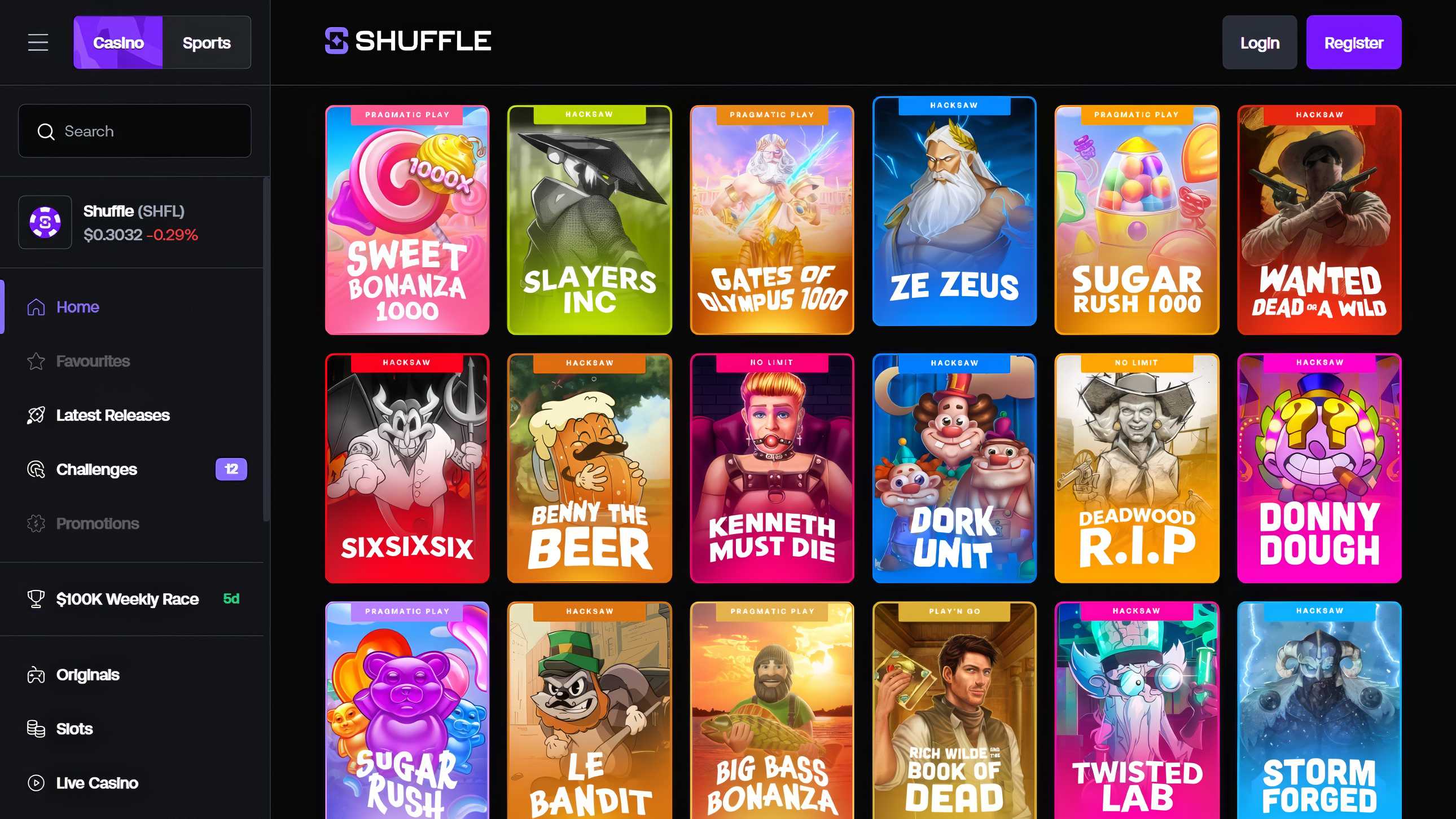
Users wishing to play casino games on the go need to understand how Shuffle Casino’s mobile app functions, the supported devices, and the correct installation process https://shuffle-kaszino.com/en-nz/app/. The app offers entry to the same game library and account features found on the desktop site, yet it is designed for touchscreens and smaller displays. Being aware of the download steps, the operating system requirements, and the distinctions from the browser version assists players in avoiding common installation problems and ensures the smoothest possible experience from the first session.
Device and System Prerequisites
Shuffle Casino’s mobile app is developed to work on modern versions of the both dominant smartphone operating systems. On Android the smallest supported release is version 7.0 Nougat, though the interface works best on Android 10 and later since newer versions include improved graphics drivers and security patches. iPhone users need iOS 12.0 or higher; devices using the latest iOS release get automatic updates that ensure the app compatible with new security standards and screen sizes. Tablets are also supported, however the layout remains portrait-first, so landscape mode simply enlarges the same controls rather than rearranging them.
Screen resolution affects how many of the lobby is visible without scrolling. Devices with at least 720 by 1280 pixels present the full grid of game thumbnails on one screen, while lower-resolution phones display fewer tiles and demand more vertical swipes. RAM is equally important: 2 GB is the practical minimum, but 3 GB or more prevents the app from reloading tables when the player switches between the lobby and an open game. Storage checks are also necessary since the initial download is roughly 85 MB and each subsequent update can include another 20 MB.
Setup Steps and Access Settings
After the Android APK file is downloaded, the installation wizard shows three successive screens. The first confirms the app name and publisher; the second lists the permissions required, such as access to photos and media for storing game screenshots and access to the device microphone for live-dealer tables that enable voice chat. Users who refuse any permission can still enjoy most games, yet live dealer titles will turn off the voice feature until the setting is adjusted in the phone’s app-management menu.
iOS installation through TestFlight follows a shorter path. After tapping the invitation link, the user views a screen that displays the app icon, version number, and developer name. Choosing “Install” places the icon on the home screen within thirty seconds. The first launch initiates a short registration prompt that requests the same username and password already created on the desktop site. Two-factor authentication, if enabled on the account, must be finished before the lobby appears.
Managing Installation Errors
Android users at times encounter a “parse error” message, which usually means that the downloaded file is damaged. Erasing the file and starting a fresh download from the Shuffle Casino website solves the issue in most cases. Another frequent message states that the app was built for an older version of Android; this occurs when the device is running a release earlier than 7.0 and cannot be skipped without changing the operating system.
iOS users sometimes see an alert that the developer is not verified. Going into the iPhone’s settings, moving to General then VPN & Device Management, and explicitly approving the Shuffle Casino developer profile clears the block. If the profile is not present entirely, the user must go back to TestFlight and approve the invitation again.
Speed, Data Consumption and Battery Impact
Network trials conducted on a regular 4G connection show that launching the lobby takes approximately 1.2 MB of data, while starting a single slot game consumes another 0.8 MB. Live dealer games use between 15 MB and 25 MB per hour depending on video quality settings, which can be toggled inside the game menu between low, medium, and high. Players who expect to play for several hours on mobile data should check their monthly allowance or move to Wi-Fi when possible.
https://www.bbc.co.uk/sport/football/61799274 Battery drain varies with screen brightness and game type. Slot games at 50 percent brightness use roughly 8 percent of a modern phone’s battery per hour, while live dealer games at the same brightness level achieve 14 percent because of continuous video decoding. Enabling the operating system’s dark theme cuts power draw by an average of 6 percent across both game categories because the app’s interface uses dark backgrounds by default.
Obtaining the App from Authorized Sources
Android users cannot find the Shuffle Casino app inside the Google Play Store because existing gambling policies limit real-money casino applications. Instead, the site provides a direct APK file that must be downloaded through the device’s browser. Before initiating the transfer, users ought to open Android settings, navigate to security, and enable the “install from unknown sources” option for the browser they are using. Once the APK completes downloading, a notification pops up; tapping it opens the installation wizard, which requires standard permissions for storage and network access.
iOS users follow a different route because Apple refuses to allow sideloading of gambling apps outside its App Store. Shuffle Casino therefore delivers its software through Apple’s TestFlight platform during the initial rollout and later through the official App Store once regulatory approval is granted in New Zealand. Players get an invitation link by email after they establish an account on the website. Accepting the invitation launches TestFlight, where the app can be installed with one additional tap. Future updates come automatically through the same TestFlight profile until the App Store version supersedes it.
Core In-App Features and Browsing

The mobile lobby replicates the desktop layout yet substitutes mouse hover actions with long-press gestures. Tapping and holding a game tile opens a quick menu that enables the player start the game, view its rules, or save it to a personal favourites list. Sliding left or right across the top banner cycles through current promotions, each of which connects directly to the relevant terms page inside the app rather than launching an external browser window.
Account management resides behind a bottom navigation bar that is visible on every screen. The bar features five icons: lobby, cashier, promotions, support, and profile. Pressing the cashier icon reveals deposit methods that are identical to the desktop options, yet the layout stacks fields vertically to accommodate smaller keyboards. Players can save one card or e-wallet as the default method, lowering the number of taps required for subsequent deposits to three.
Active Dealer Tables on Mobile
Live dealer games utilise a dedicated video player that automatically changes between landscape and portrait when the device is rotated. In portrait mode the player’s betting chips occupy the lower third of the screen while the dealer video occupies the upper portion; rotating to landscape widens the table and shifts the chip selector to a collapsible side panel. Internet speed recommendations are presented inside the game: 1 Mbps is sufficient for standard definition video, whereas 3 Mbps removes buffering during peak hours.
Security Measures and User Safeguards
Shuffle Casino uses the identical encryption standards employed on the desktop site to each transaction started inside the app. When a player initiates a withdrawal, the app shows a transaction reference number that needs to be entered on the website if the user later checks the request from a desktop browser. This cross-device verification step stops unauthorised withdrawals even if the phone is misplaced.
Biometric login is offered on devices that support fingerprint or facial recognition. After the first successful password login, the app prompts the user to activate biometrics; once activated, the phone’s own authentication sensor replaces the need to type a password goal.com on subsequent launches. The biometric data itself never exits the device, fulfilling New Zealand privacy expectations while still complying with the operator’s regulatory obligations.
FAQ
Can I use the same account on both the app and the desktop site?
Absolutely. The username and password created on the desktop site work immediately inside the mobile app. Any balance, bonus, or game history refreshes in real time across both platforms, so players can start a session on one device and carry on on another without additional steps.
What should I do if the Android APK will not install?
First check that your Android version is 7.0 or higher and that the “install from unknown sources” setting is activated for your browser. If the file still fails to install, remove it, obtain a fresh copy from the official site, and attempt the installation again. Persistent errors typically suggest a corrupted download or an incompatible device model.
Is the app using more data than the mobile browser version?
The app itself consumes slightly less data because graphics and interface elements are saved locally after the first download. Live dealer tables use the same amount of data in both versions, so the difference manifests mainly in slots and instant-win games where the app prevents repeated image loading.
Am I able to play for real money immediately after installing the app?
When the installation finishes and you sign in with an active account, the entire range of deposit methods is available. Fresh players must complete the usual identity verification process before withdrawals are activated, but deposits and gameplay can start right away.
Does the app function on an elder iPad running iOS 11?
No. The minimum supported iOS version is 12.0. Devices running iOS 11 or prior cannot set up the latest build, and no previous version is offered. Customers with elder tablets can still reach the casino through the mobile browser site, although some newer games may not show correctly.
How frequently are app updates rolled out?

Updates are published every four to six weeks to add new games, fix minor bugs, and preserve compatibility with the latest operating system releases. Both Android and iOS versions receive updates on the same schedule, and the app alerts users by itself when a new version is prepared.
Is biometric login mandatory?
No. Biometric login is voluntary and can be turned off at any time from the profile menu. Players who choose traditional password entry can keep to use it without any reduction of functionality or security.
